How do I make my golf course website readable to AI?
Four fixes cover most of it. Put rates, hours and holiday hours in plain text on the page, not in a PDF, image or pop-up. Make your Google Business Profile description, category and hours match your website exactly. Build full FAQ and event pages for outings and weddings. And make sure your site doesn't block AI crawlers from tools like ChatGPT, Perplexity and Claude. Most of the work happens behind the scenes and doesn't change how the site looks to golfers.
You don't need a new website to show up correctly in AI answers. You need four things that most courses can fix this month.
Adapted from Meet Noteefy Studio, a webinar with Katie Brandow, Director of Marketing Services at Noteefy Studio. Watch the full session on demand.
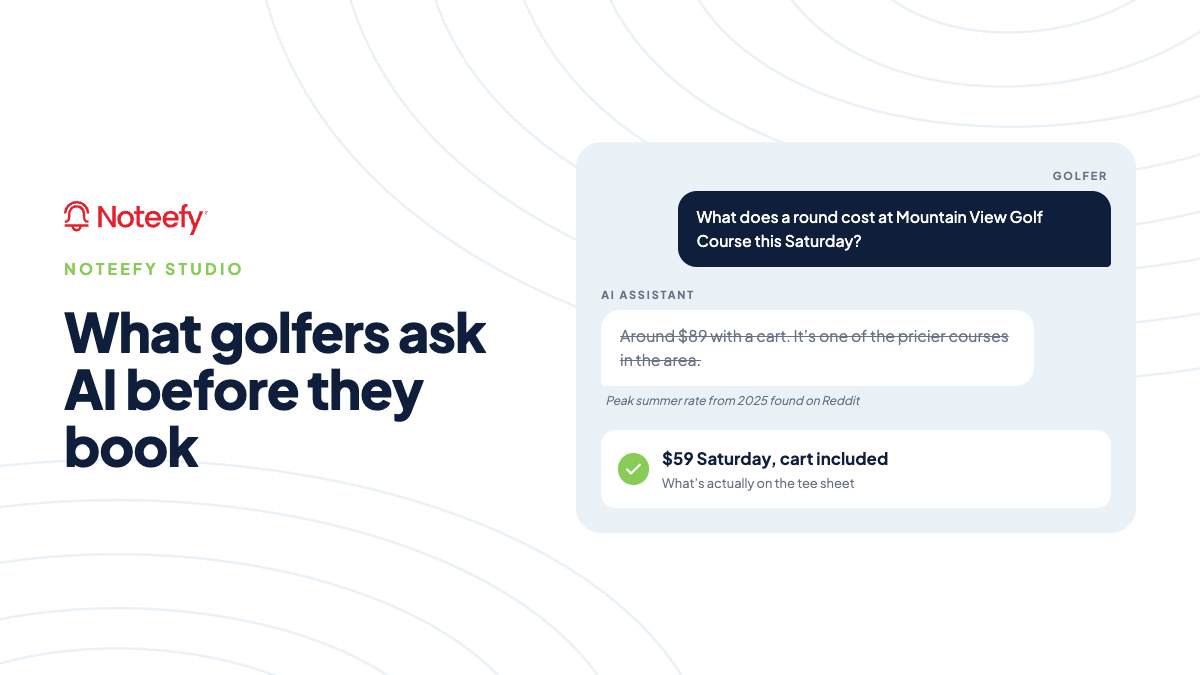
Golfers are asking AI what a round costs and when you close, and AI often gets those answers wrong. When your current rates only live in a booking widget or a PDF, it quotes whatever else it can find, and a golfer who thinks you're too expensive books somewhere else.
The good news is that the fixes are in your hands, and none of them are expensive. They're just easy to let slip when you're running a property.
Prefer to watch? Katie walks through all four fixes in this clip from the webinar:
1. Put the facts in plain text
Rates, hours, holiday hours and membership pricing belong on the page itself, written out as text. Not only in the booking widget, not in a PDF rate card, not in a graphic or a pop-up.
They don't have to lead the page. A clear FAQ section lower down works.
What it looks like done well: Hart Ranch Golf Club in Rapid City, South Dakota uses dynamic pricing, which you'd expect to be the hardest case. Ask ChatGPT what green fees cost there and it answers correctly, with the rate range and the time of day, pulled from an FAQ section on the course's golf page.
2. Make your Google Business Profile match your website
Your description, category and hours on Google should match your website and your social pages exactly. When AI sees two different answers about the same course, it has to pick one, and it doesn't always pick yours.
Check it every time hours change, especially around holidays and season changes.
3. Build out FAQ and event pages
If you host outings, weddings or events, give each its own page with the details a planner asks for: capacity, what's included, how to inquire. Then add an FAQ that answers the logistical questions AI tends to get wrong: rentals, dress code, cart policy, twilight times, holiday hours.
Every question you answer in plain text is one AI doesn't have to guess at.
4. Let the AI tools in
Some websites block AI crawlers with bot protection, sometimes by default and without anyone deciding to. If ChatGPT, Perplexity or Claude can't read your site, they'll read someone else's.
Ask whoever manages your site to check that AI crawlers aren't blocked.
"Do I have to give anything up?"
It was one of the best questions from the live session: does structuring a site for AI cost you flexibility, guest experience, or control? Katie's answer:
"I don't think that we have to give up any of those things... a lot of making your site AI ready can be done on the back end."
Katie Brandow, Noteefy Studio
The site still looks and reads the way you want it to for golfers. AI just gets a clearer version of the same facts.
Check your work
Once these are in place, ask ChatGPT, Perplexity and Google AI Mode what a round costs at your course this weekend and what time you close. If the answers match your tee sheet, the fixes are working. Next week, we'll share the full 15-minute check Katie recommends every course run.
Or watch the full session, where Katie walks through each fix. If you'd rather have a dedicated team of golf marketing specialists handle it, talk to Noteefy Studio.


Want all four fixes handled for you?
Noteefy Studio's dedicated team of golf marketing specialists can put your rates and hours in plain text, match your Google Business Profile to your website, build out your FAQ and event pages, and make sure AI tools can read your site. Then they keep it current as your rates and hours change.